
Clear, specific feedback saves time, money, and a few grey hairs.
You’ve just received a design proof. It looks close, but something’s not quite right. So you fire off a quick email: “Can you make it pop a bit more?”
The designer stares at the screen. Pop how, exactly? More colour? Bigger headline? Different font? Confetti?
Vague feedback is one of the most common causes of unnecessary revision rounds, and revision rounds cost everyone time and money. The good news is there’s a simple, better way.
Ditch the Email Chain
When feedback comes through as a string of emails, phone calls, or (worse) a mix of both, things get lost. Instructions get misread. Changes get missed. And suddenly you’re on version seven of a design that should have wrapped up on version two.
Simon Bailey Design uses a structured PDF proofing process, and it keeps projects running smoothly for everyone.
Use Adobe Acrobat’s Comments Tool
Adobe Acrobat (not just Adobe Reader) has a built-in Comments tool that lets you pin feedback directly to specific areas of a design. Think of it as sticky notes, but actually useful.
Here’s why it works so well:
- Your feedback is pinned to the exact element you’re referring to, no guesswork required
- Multiple stakeholders can comment in the one document
- There’s a clear, permanent record of every requested change
- Nothing slips through the cracks
How to use it:
- Open your PDF proof in Adobe Acrobat
- Select the Comment tool from the toolbar
- Click on the area of the design you want to address
- Type your note, save the file with a clear name (e.g. Project-Name-v1-Edits.pdf)
- Share it back via Dropbox or your preferred file-sharing service
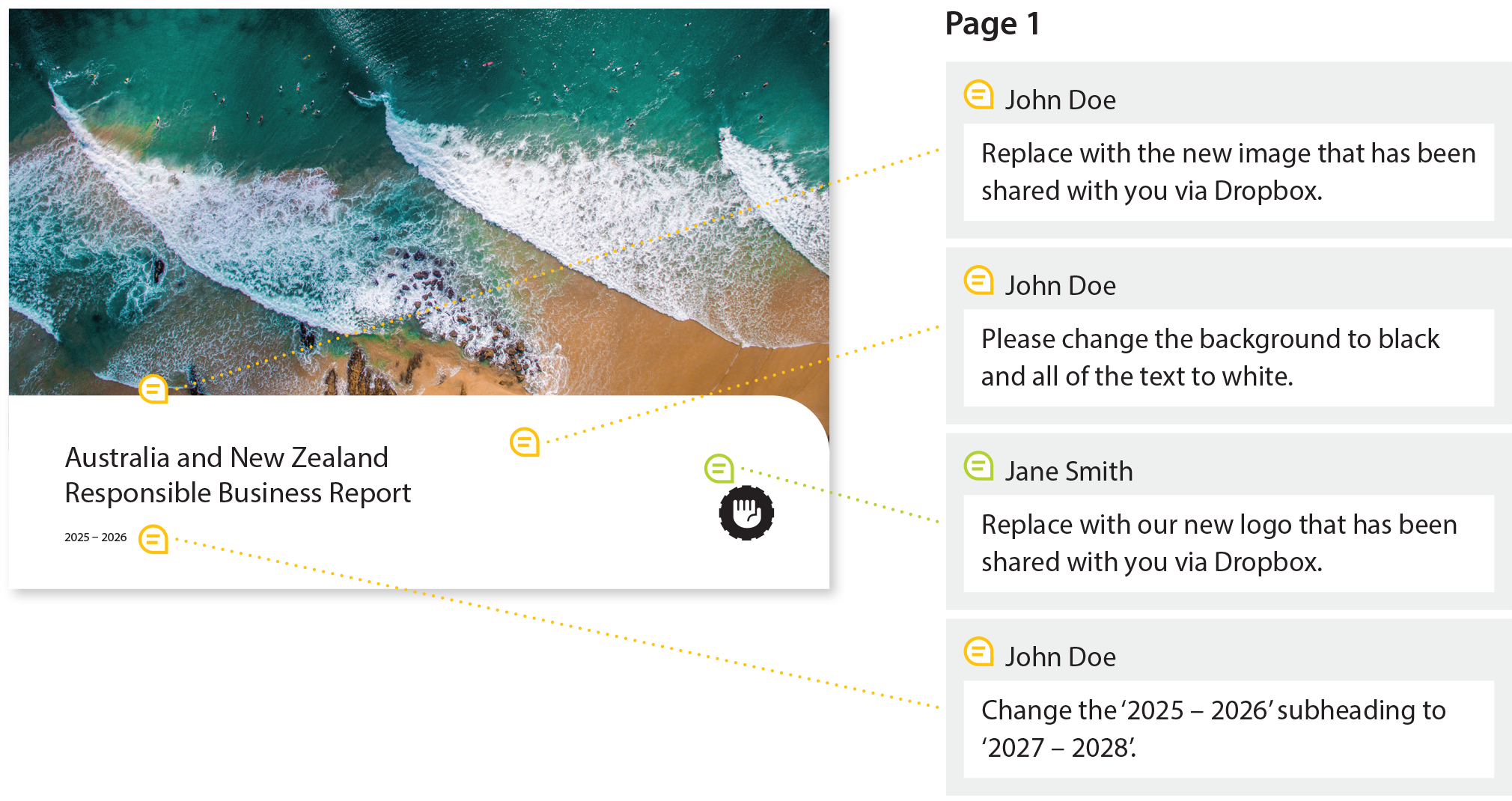
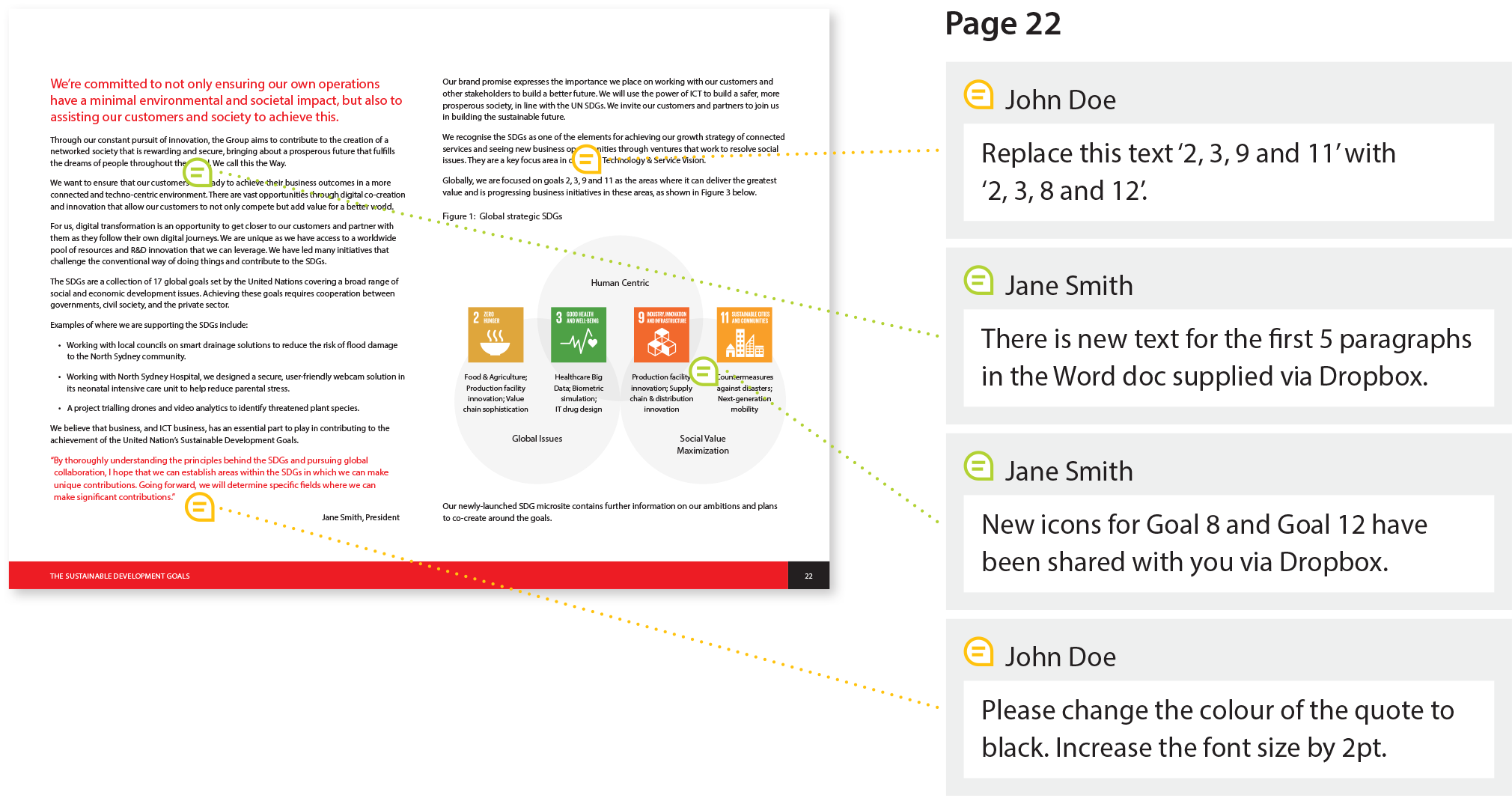
Be Specific. Be Actionable.
The quality of the output is directly tied to the quality of the feedback. Here’s the difference in practice:
- Good: “Increase the logo size by 25%”
- Not so good: “The logo feels a bit small”
One of those gets actioned immediately. The other starts a conversation that didn’t need to happen.
If there’s reasoning behind a change, share it. If there are new brand guidelines, logos, or images involved, include them with your comments. Context is your friend.
A Note on Text Changes
Once content is laid out in design software like Adobe InDesign, all text edits need to be marked directly on the PDF proof. Revised Word documents, even with Track Changes switched on, create double-handling and introduce the risk of errors. The PDF proof is the source of truth at this stage.
Why This Matters
Clear, structured feedback isn’t just good process, it’s good value. It means:
- Fewer revision rounds, which keeps your project on budget
- Faster turnaround, because nothing gets lost in translation
- Better results, because the focus stays on craft, not clarification
It also gives you peace of mind. You know exactly what was asked, what was changed, and where the project stands at any given moment.
Not Sure Where to Start?
Simon Bailey Design is happy to walk you through the process. It only takes a few minutes to get set up, and it makes every project that follows run more smoothly.
Get in touch and let’s make your next project a straightforward one.